
Online filing
File Personal Property Returns Online
SmartFile is the State of West Virginia online filing system for personal property returns. Use the guide below to choose the filing path that matches your return, then open SmartFile in a new tab to file.
SmartFile is operated by the State of West Virginia. You will leave the Pocahontas County Assessor website.
Individual Personal Property
Use this path for individual returns such as vehicles, boats, campers, trailers, aircraft, dogs, sheep and goats, mobile homes, and related personal property.
New filer
For taxpayers who have not previously filed a personal property return and do not have an existing account number.
- Create a SmartFile account, then sign in.
- Choose the available Individual Personal Property filing.
- Enter the county where the property is located and complete all required fields.
- Move through each section with Next. SmartFile saves progress as you advance.
- Add applicable assets, digitally sign the declaration, upload supporting documents if needed, and submit.
Returning filer
For taxpayers who have filed in a prior year by paper or online and need to update or confirm their current return.
- Sign in to SmartFile and open the Individual Personal Property filing.
- Select the county and search for your account by account number or owner name.
- Review existing assets first so disposed property can be removed and duplicate assets are avoided.
- Update each applicable section, including vehicles, aircraft, mobile homes, real estate improvements, dogs, sheep and goats.
- Digitally sign, attach supporting documents if needed, submit, and keep the confirmation email for your records.
Business Personal Property
Use this path for commercial personal property returns, including business equipment, inventory, vehicles, rolling stock, aircraft, salvage, pollution control property, and required asset listings.
New business filer
For businesses that do not have an established account and are filing for the first time by paper or online.
- Create a SmartFile account, sign in, and choose the Commercial Personal Property filing.
- Enter the county where the business is located and complete all required business information.
- Complete Schedule A, inventory, vehicles, aircraft, rolling stock, mobile homes, salvage, pollution control, and livestock sections as applicable.
- Use the calculate buttons where provided before moving to the next section.
- Digitally sign, upload the required asset listing and any other required documents, then submit.
Existing business account
For businesses with an existing account that need to review prior-year values and file the current return.
- Sign in, open the Commercial Personal Property filing, and search by county, account number, and mailing ZIP code.
- Review existing values and assets before adding new property or marking removed assets.
- Enter additions and disposals in Schedule A, then calculate adjusted acquisition cost.
- Complete inventory and any Freeport exemption fields only if they apply, with supporting documents uploaded.
- Digitally sign, upload the asset listing and any required attachments, submit, and print a copy if needed.
The downloadable guides include screenshots from SmartFile. The paper personal property form remains available below for taxpayers who cannot file online.
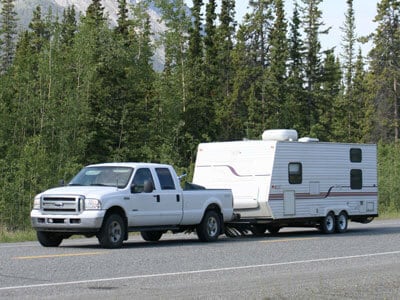

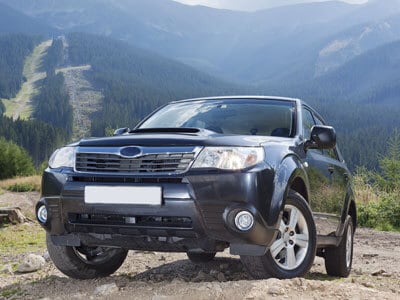
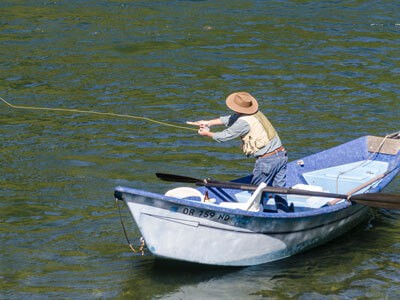
Personal property, such as vehicles, boats and trailers are subject to property taxation in West Virginia unless specifically exempted by law. Dogs are also taxed under personal property. Property is appraised as of July 1st of each year. All persons owning or controlling real or personal property subject to property taxes are required to make a return to the assessor (W. Va. Code § 11-3-2).
Corporations, LLC’s, LLP’s and unincorporated businesses are required to render their returns by September 1st (W. Va. Code § 11-3-12, 11-3-15, 11-3-15a).
Deputy Assessors make an attempt to visit each resident in the county to assess their personal property each year between July 1st and October 1st. If the resident is unavailable they may leave a personal property form to fill out and return to the Assessor’s Office. If you have not been assessed for personal property by October 1st, please contact our office or you may download the form provided downloadable Personal Property form